Knockout Legends Guides
Deep walkthroughs for first matches, KO tactics, maps, and the shop economy.
All Knockout Legends guides
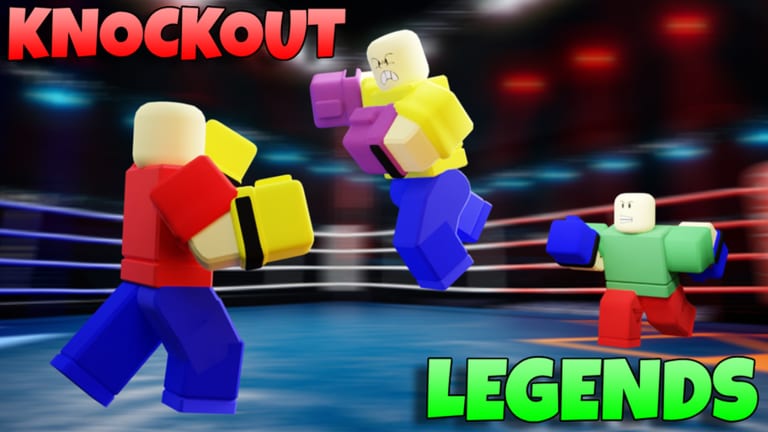
This hub is the map of every long-form tutorial on the wiki. Knockout Legends is a pre-alpha Roblox fighting arena where up to ten players punch, kick, defend, and yeet each other across lava, island, and nuclear stages while farming coins for the shop. The guides below are written for that exact loop —not for similarly named penguin or boxing simulator games.
Start here
- Getting Started —first 30 minutes, badges, and what to ignore in pre-alpha.
- Controls —movement, attack, kick, defend, and mobile caveats.
- Combat Guide —how to land KOs without deleting yourself.
Progression and arenas
- Maps —lava, islands, nuclear hazards and edgeplay habits.
- Coins and Shop —income routes and what to buy first.
Pair these pages with the Tier List Hub, Codes Hub, Scripts Hub, and Updates Hub so tactics stay current as the Official Group ships builds.
How to use this hub
- Skim Getting Started even if you already played one match —pre-alpha UI moves around.
- Drill Controls until attack, kick, and defend feel automatic.
- Practice the spacing rules in the Combat Guide on quieter servers.
- Learn hazard timing on Maps before chasing flashy eliminations.
- Spend currency with Coins and Shop and validate purchases on the tier list.
Each guide aims for practical depth: step lists, failure cases, and links to sibling pages so you never hit a dead end mid-session.
What these guides cover that generic Roblox tips miss
Knockout Legends advertises goofy combat, cliff yeets, barrel escapes, multiplayer brawls, and a growing inventory. That means your biggest threats are not DPS meters —they are self-KOs, map hazards, and wasted coins. The combat and maps guides focus on recovery and positioning. The shop guide focuses on value while prices may still change, which the developers explicitly warn about in the experience description.
You will also see badges such as welcoming fighters to the experience, buying a first item, and scoring a first KO. Those milestones are woven into Getting Started so new accounts know they are progressing even when leaderboards are quiet.
Recommended learning path for different players
Brand new to Roblox fighting games: Getting Started 鈫?Controls 鈫?Combat Guide 鈫?Maps.
Returning after a patch: Updates Hub 鈫?Combat Guide 鈫?Tier List 鈫?Coins and Shop.
Looking for free rewards: Codes Hub 鈫?Coins and Shop 鈫?Getting Started daily loop.
Curious about automation: Scripts Hub first (safety), then Combat Guide so you understand fair play expectations.
Cross-links inside the guide family
Every guide page links to its siblings on purpose. Controls without combat context creates button mashers. Combat without map knowledge creates lava deaths. Shop advice without a tier list creates inventory clutter. Use the Related links at the bottom of each article, and return here when you need the full catalog.
Video-backed lessons
Where a real gameplay video exists, we embed a single mid-article player —never a wall of trailers. Start with the footage on Getting Started and Combat Guide to see spacing and KO timing before you invent your own tech.
Keep the guides honest in pre-alpha
Mechanics can change without a long patch note. When something on a guide conflicts with the live build, trust the live build, then check Updates. This hub will reshuffle featured links whenever a system is replaced. For official destinations, use the Links Hub.
Ready to fight? Open Getting Started and queue into a server.
Frequently Asked Questions
Quick answers for Knockout Legends fighters.
Which Knockout Legends guide should I read first?
Start with Getting Started, then Controls, then the Combat Guide before spending coins.
Do these guides work on mobile?
Core advice applies, but button layouts differ. Read the Controls page for platform notes.
How often are guides updated?
After meaningful Official Group patches. Check the Updates Hub for the latest context.